
QuickPages has been rebuilt
QuickPages now includes 41 modern page templates across six categories, a visual editor with mobile preview, connected funnels, A/B testing, a searchable lead inbox, clearer reporting, and optional webhooks.
Ready to see it? Explore the new QuickPages or open your dashboard.
| What is new | What is included |
|---|---|
| 41 modern page templates | 9 lead magnets, 7 bridge pages, 6 waitlists, 6 local-service pages, 6 forms and intake pages, and 7 thank-you pages. |
| Visual editor and mobile preview | Edit text, images, buttons, links, and form fields directly on the page. |
| Connected funnels | Join an opt-in page to a hosted thank-you page and report on both steps. |
| A/B testing | Split traffic through one test URL while preserving each page's history. |
| Lead inbox and reporting | Search submissions, review source data, compare results, and export filtered leads. |
| Publishing checks and webhooks | Catch incomplete campaign settings and send saved leads into your automations. |
1. Forty-one modern templates across six page categories
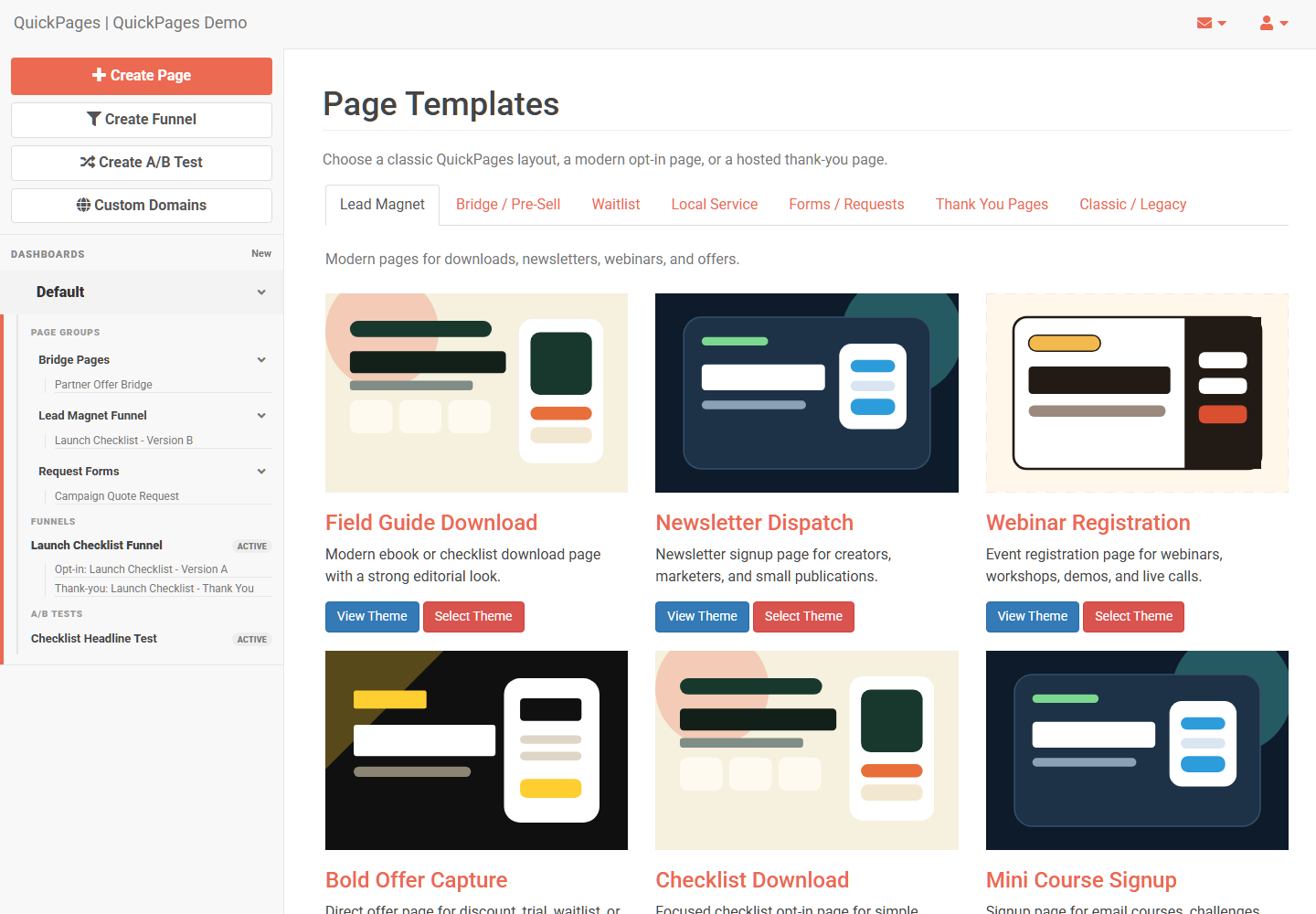
The new library covers much more than a basic email opt-in. Choose from nine lead-magnet templates for guides, webinars, mini-courses, and video training; seven bridge pages for comparisons, reviews, recommendations, and video sales letters; and six waitlist pages for products, betas, courses, and local openings.
Service businesses get six layouts for quotes, estimates, callbacks, and audits. Six form and intake templates cover applications, surveys, RSVPs, and project briefs. Seven thank-you templates can deliver a download, confirm a call or order, or welcome a new lead with video.
2. A visual editor with mobile preview
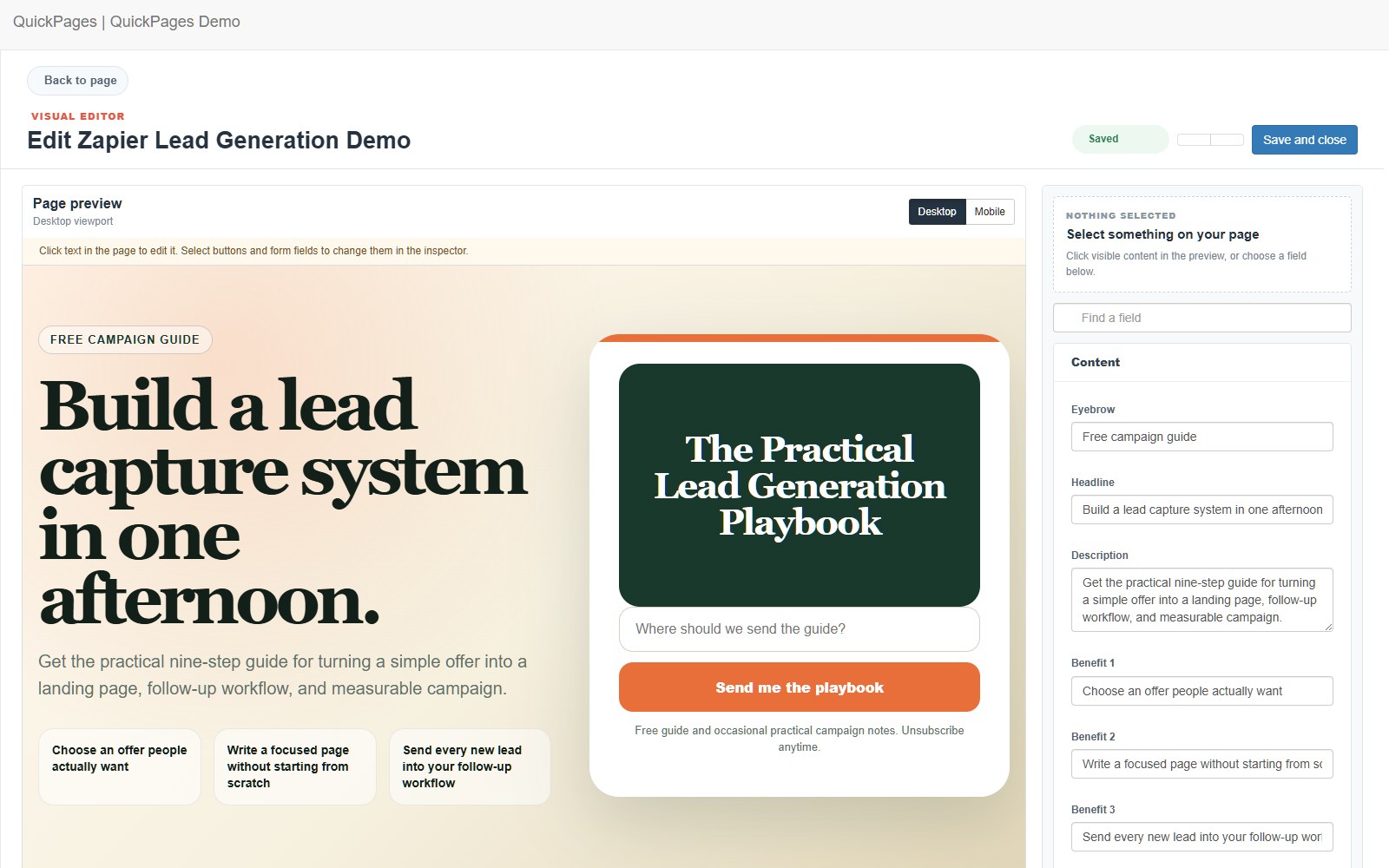
The visual editor lets you select text, buttons, images, links, and form fields directly in the page preview. Switch to a realistic mobile preview before publishing, while drafts keep unfinished changes separate from the live page.
3. Complete funnels with a deliberate next step
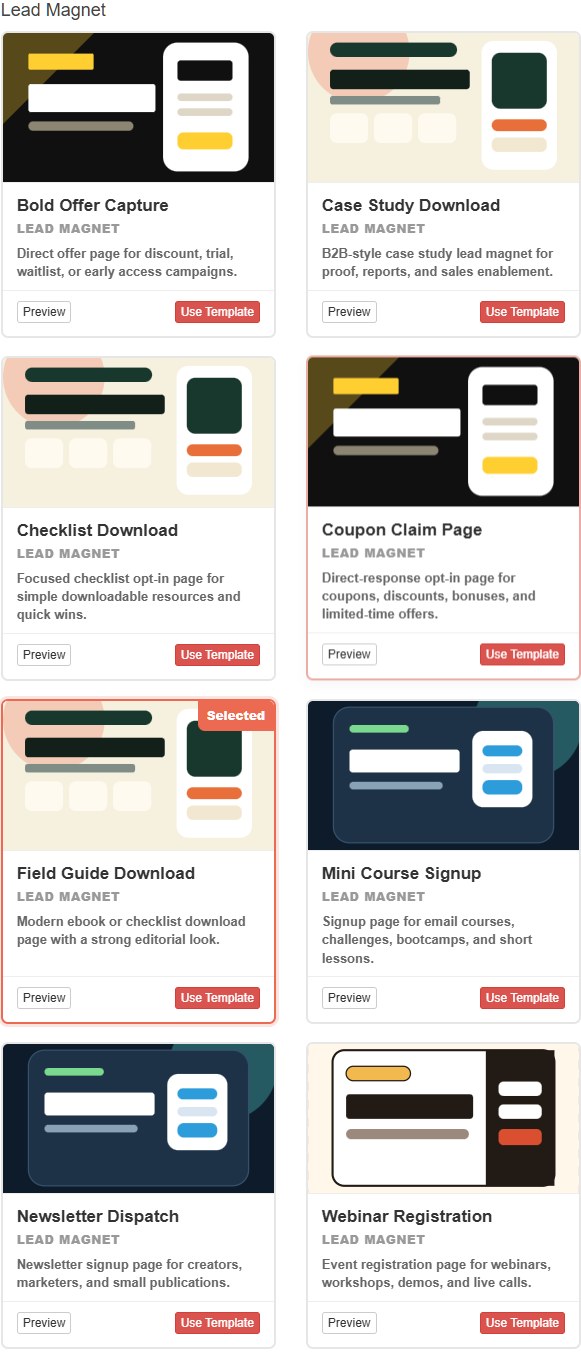
Connect an opt-in page to a hosted QuickPages thank-you page and review both from one funnel report. Or send new leads to an external website, download, calendar, or checkout when that is the right destination.
4. A/B tests that preserve page history
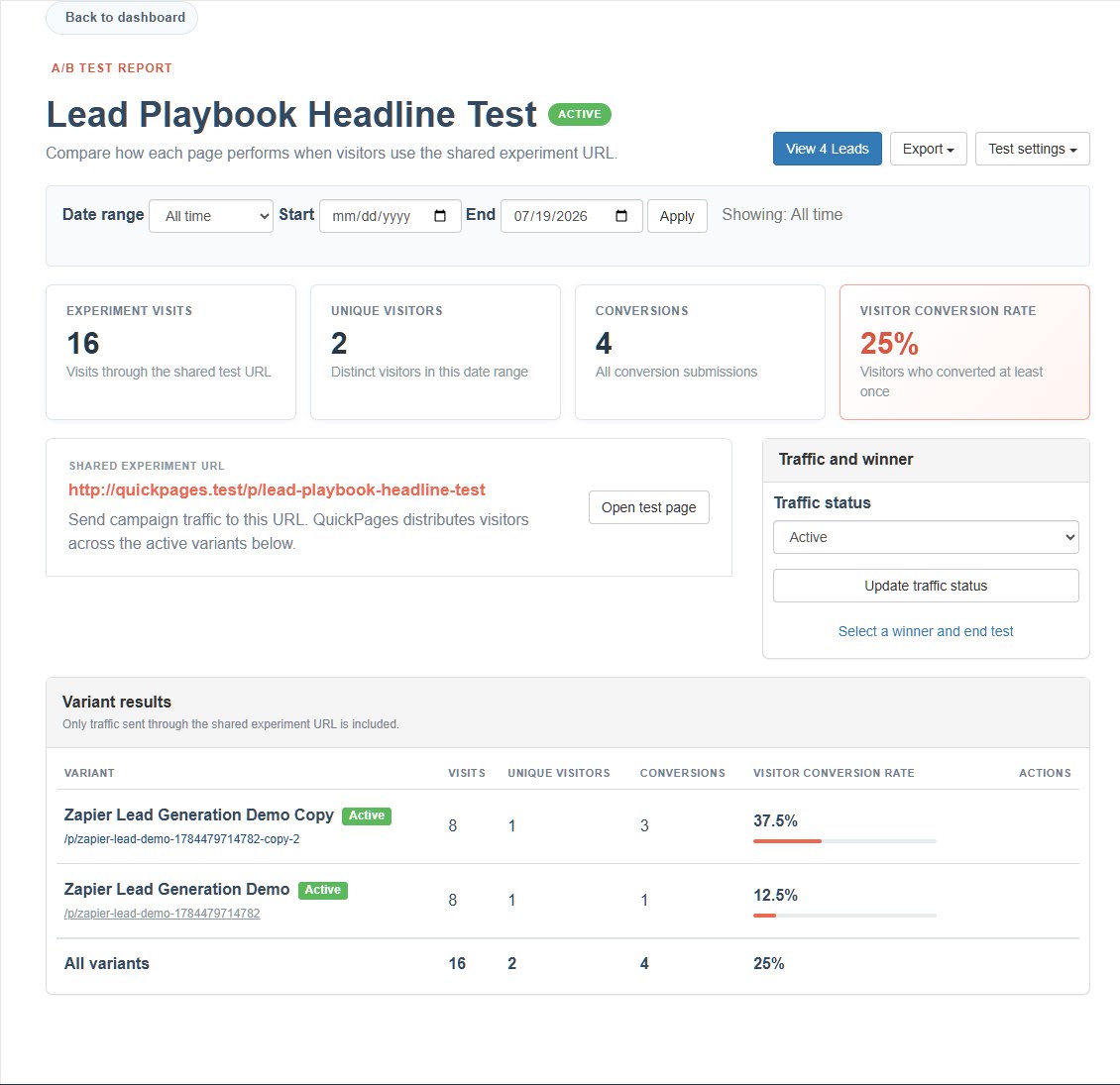
Add two or more variants, share one test URL, and let QuickPages assign visitors consistently. The experiment report measures only traffic from that test, while every page keeps its complete historical statistics.
5. Leads, sources, and reports in one place
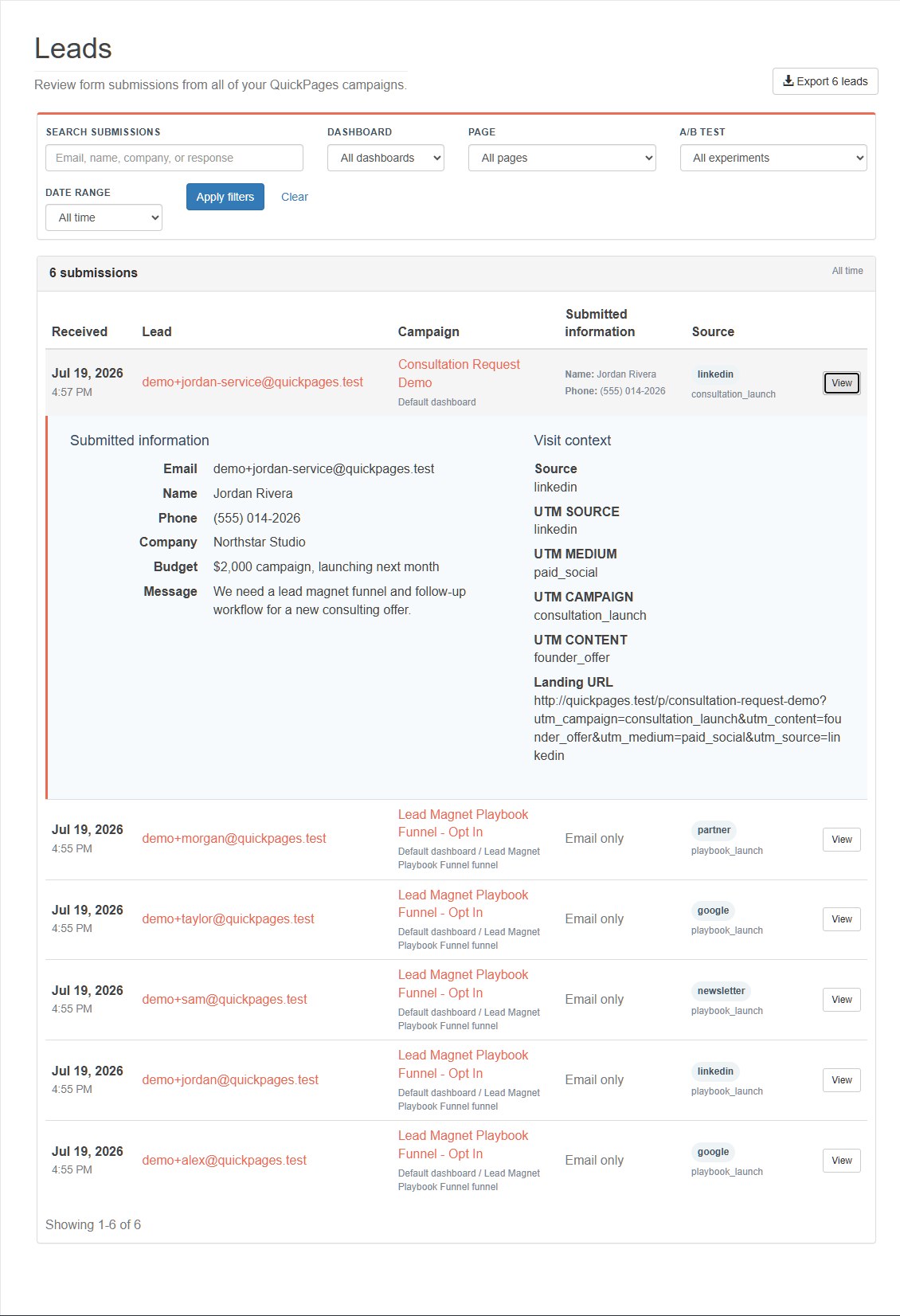
Search and filter leads by dashboard, page, funnel, A/B test, date, email address, or submitted field. Each lead can include its form values, landing URL, referrer, and supported UTM campaign parameters. Exports use the same filters, so you download exactly what you are reviewing.
6. Safer publishing and automatic handoffs
Before a page goes live, QuickPages checks its identity, form destination, post-signup path, placeholder content, and suspicious or incomplete URLs. Blocking errors are separated from optional recommendations so you know what truly needs attention.
Pro accounts can also send each saved conversion to a Zapier-compatible webhook. Test the connection first, then review delivery attempts if an automation ever needs attention.
Existing customer URLs, uploaded media, leads, and historical conversion totals remain in your account. Classic pages still render and can be edited through their compatible workflow, so you do not need to rebuild earlier campaigns.
Start free, with one-time Pro options
Free accounts can create up to six active pages, one funnel, and one A/B test. Pro removes campaign-count limits and QuickPages branding and enables conversion webhooks. Choose one year or Lifetime Pro as a one-time purchase; neither option renews automatically.
Try the rebuilt QuickPages
Open your account, choose a modern template, and publish your next campaign.